Motif vs a DIY AI Workflow (Midjourney plus Manual Sprite Slicing)
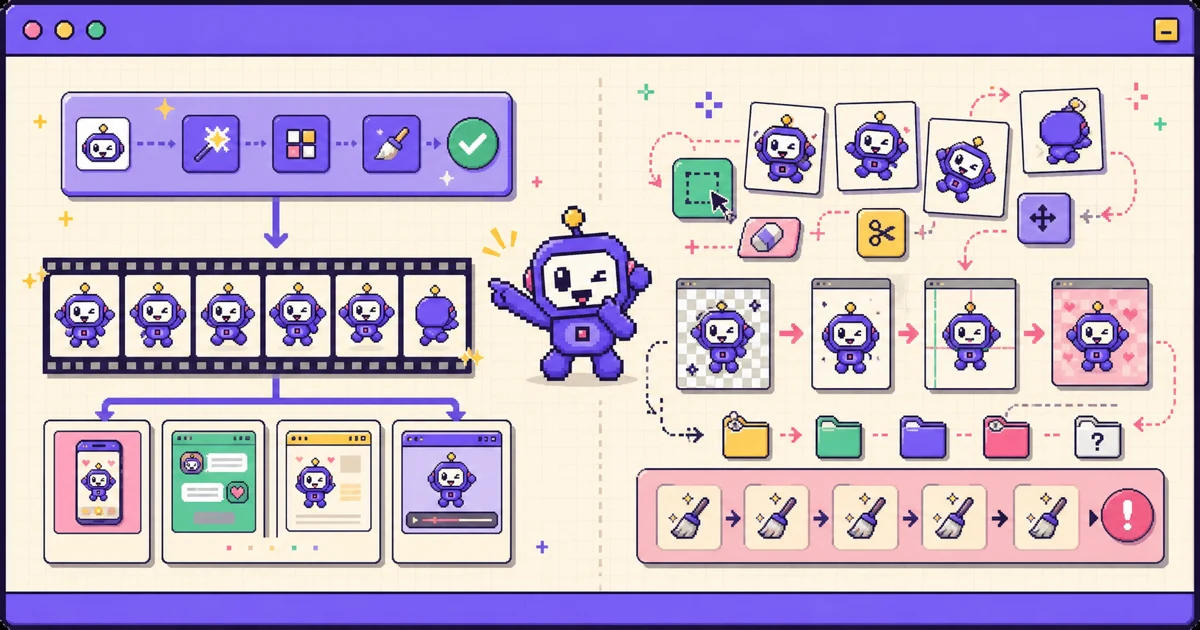
TL;DR: Building an animated mascot with a general image model like Midjourney involves six-plus manual steps beyond generation - fighting for frame-to-frame consistency, removing backgrounds, aligning frames, exporting per-density assets, and writing playback code for each target platform. Motif handles all those steps in one pass: it generates on-model frames, cleans backgrounds, normalizes the loop, and exports native bundles for iOS, Android, web, Unity, and Godot. Choose the DIY route for total manual art control and style freedom; choose Motif to skip the tedium and get an app-ready mascot fast.
You can build an animated mascot with a general image model and a stack of manual steps, and sometimes that is the right call. But it is worth seeing the whole DIY pipeline before you choose it, because most of the effort is not the generation - it is everything after. This compares the DIY route with Motif, which folds those steps into one pass.
What the DIY pipeline looks like
A do-it-yourself AI mascot workflow usually runs like this:
- Generate character frames in an image model such as Midjourney.
- Fight for frame-to-frame consistency so the character does not drift between poses.
- Remove the background from each frame.
- Align and slice the frames into an even grid.
- Export per-density assets for each platform.
- Write the playback code for iOS, Android, web, or your engine.
Each step is doable. Together they are a project, and steps 2 through 5 are where the time goes.
Side-by-side comparison
| Motif | DIY (Midjourney plus slicing) | |
|---|---|---|
| Steps involved | One pass: generate, clean, export | Six-plus manual steps |
| Tools needed | Motif | Image model, editor, remover, packer, engine importer |
| Character consistency between frames | On-model, redrawn per frame | Manual; hard to hold |
| Background removal | Automatic | Manual per frame |
| Frame alignment and looping | Normalized automatically | Manual alignment |
| Platform exports | iOS, Android, Web, Unity, Godot | Build each yourself |
| Cost | Pay-as-you-go from $5; 30 free credits | Midjourney from $10/mo plus your time |
| Best for | App-ready mascots, fast | Total manual art control |
Pricing checked July 2026; verify current plans before committing.
Where DIY wins
DIY wins on control and reuse. You can chase any art style, art-direct every frame by hand, and use the same image-model subscription for illustrations, concept art, and other assets beyond mascots. If precise manual control over each frame matters more than turnaround, and you enjoy the tooling, the DIY route gives you the most freedom.
Where Motif wins
Motif wins by doing the tedious middle for you. One pipeline generates the sprite sheet, keeps the character on-model across frames, removes the background, normalizes the frames so the loop does not jump, and exports platform-native bundles - an iOS .imageset with a generated SwiftUI view, Android drawables, web sprites, and Unity/Godot atlases. The consistency problem that makes DIY frustrating is exactly what it is built to handle. This is essentially the DIY pipeline automated, which is what our own processing engine does end to end.
Frequently asked questions
Can Midjourney make sprite sheets?
It can generate frames and grid-like images, but it is not a sprite-sheet pipeline. Consistency, background removal, alignment, and per-density export are on you.
How do you keep an AI character consistent across frames?
In DIY you rely on references, seeds, and prompt discipline, and still curate heavily. Motif generates every frame from your specific character, holding the design steady across the loop.
What tools slice a sprite sheet manually?
Image editors like Photoshop or GIMP, background removers, packers such as TexturePacker, and engine importers. Motif folds those into one pass.
Is DIY cheaper than a generator?
DIY costs an image-model subscription (Midjourney from $10/month) plus your time. Motif costs credits from $5. Whether DIY is cheaper depends on how you value the hours.
Bottom line
Choose DIY for total manual control and style freedom; choose Motif to skip the consistency, cleanup, slicing, and export work and get an app-ready mascot fast. See the best animated mascot generators in 2026, follow the integration guide, or generate a mascot with Motif.