Best Animated Mascot Generators in 2026 (for Developers)
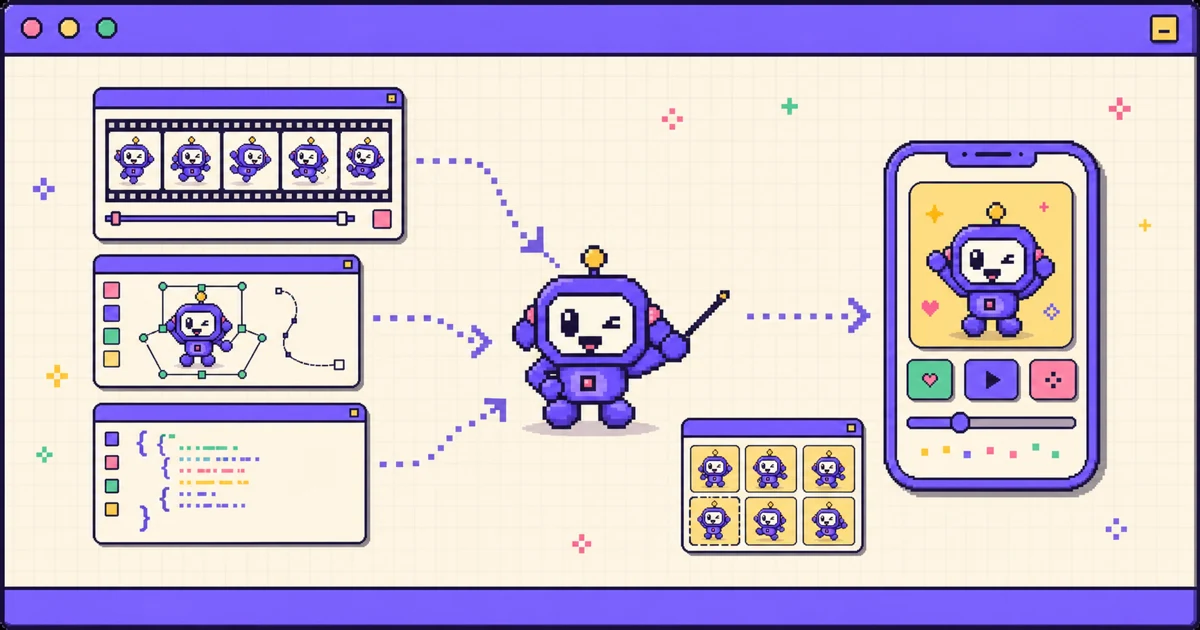
TL;DR: The best animated mascot generator depends on what output your app or game actually needs - for a drop-in sprite bundle ready for iOS, Android, Unity, or Godot, Motif is purpose-built; for interactive runtime animation that reacts to user input, Rive fits better; for vector loops authored in After Effects, Lottie is the standard. These tools diverge sharply on what they produce: some output marketing video, others output frames a native app can play natively without a runtime library. Pick by output format first, then by integration requirements.
Most articles about "animated mascot generators" quietly compare tools that do very different jobs. Some produce a marketing video of a character. Some produce interactive vector animation for a designer to wire up. Only a few produce assets you can drop straight into an app or game.
This comparison sorts the 2026 options by the one question that actually decides which tool you need: what does it output, and can your app or game engine play it? If you are a developer shipping a mascot into a real product, that is the deciding factor, not the marketing gloss.
TLDR
- Motif - best if you need app-ready sprite bundles (iOS
.imagesetplus SwiftUI, Android drawables, Unity, and Godot) from one prompt.- Rive - best for interactive runtime animation that reacts to user input.
- Lottie / LottieFiles - best for After Effects style vector loops with a player library.
- Ziggle - best for many art styles and web-first exports (transparent WebM, sprite sheets, JSON).
- DIY (Midjourney plus manual slicing) - best if you want total manual control and have the time.
Video vs sprite sheet: what your app actually needs
The category label "animated mascot generator" hides a real fork. A marketing team wants a video or GIF to post. An app or game developer wants frames the interface can render: transparent, sized for the screen, and cheap to play.
A sprite sheet is a grid of frames the runtime flips through, the same technique games have used for decades. On iOS that maps to an asset-catalog imageset at @1x, @2x, and @3x. On Android it maps to density drawables and an animation-list. In Unity or Godot it maps to a texture atlas. None of these need a video decoder or a third-party runtime.
The general UX guidance still applies: animation should have a job, not run constantly. Nielsen Norman Group's guidance on animation and usability is a good baseline - use motion to show relationships and feedback, not decoration. A mascot loop earns its place at onboarding, empty states, and success moments, and a sprite sheet is the lightest way to ship it.
If you want the full integration walkthrough, see how to add an animated mascot to your app.
The comparison at a glance
| Tool | Output | Export formats | Engine / platform support | Pricing | Best for |
|---|---|---|---|---|---|
| Motif | Character sprite sheet (frames) | iOS .imageset plus SwiftUI, Android drawables, WebP / APNG / CSS sprite, Unity / Godot atlas |
iOS, Android, Web, Unity, Godot (native, no runtime) | Pay-as-you-go credit packs from $5; 30 free credits on signup | Drop-in app and game mascots |
| Rive | Interactive vector animation (state machine) | .riv plus Rive runtime |
iOS, Android, Web, Flutter, game engines via runtime | Free tier; from $9/mo to ship (Cadet), $32/mo (Voyager) | Interactive runtime UI animation |
| Lottie / LottieFiles | Vector animation (JSON) | Lottie JSON / dotLottie plus player library | iOS, Android, Web, Flutter via player | Free tier; paid plans (see pricing) | Designer-made vector loops |
| Ziggle | Animated character, many styles | Transparent WebM, sprite sheets, JSON | Web / export-focused, not Xcode-native | Credit-based, from $20/mo | Web-first mascots and multi-style exports |
| DIY (Midjourney plus slicing) | Raw image frames | Whatever you build | Manual, per platform | Midjourney from $10/mo plus your time | Full manual art control |
Rive and Midjourney pricing verified from their official pages in July 2026; Ziggle from published plans. Always confirm current pricing on each vendor's site.
1. Motif
What it is: an AI animated mascot generator built for developers. You describe a character or upload a reference image, pick a motion, and it generates an on-model sprite sheet, removes the background, normalizes the frames, and exports a platform-native bundle.
Strengths: the output is built for native integration. The iOS export is an Xcode .imageset at @1x/@2x/@3x plus a generated SwiftUI view; Android gets density drawables and an animation-list; web gets WebP, APNG, or a CSS sprite; Unity and Godot get an atlas with frame metadata. It is the tool here that hands you the platform bundle and the glue code together, from a single prompt or reference image. Assets carry full commercial rights with no attribution.
Limitations: it produces frame-based loops, not interactive state machines. If you need a character that reacts to drag, scroll, or game state at runtime, that is Rive's job, not a sprite sheet's. Motif is also raster, so it does not scale infinitely the way vector does - you export at the sizes you ship.
Pick it if: you want a mascot animating in your app or game this afternoon without opening an animation editor. See also Motif vs a DIY AI workflow and why your app needs a mascot. Or just try Motif.
2. Rive
What it is: a professional design-and-animation tool for interactive vector graphics. You build a character in the Rive editor, define a state machine, and play it with the Rive runtime in your app.
Strengths: real interactivity. A Rive character can respond to input, blend states, and scale as vector without blurring. The editor is powerful and the runtime is well supported across iOS, Android, Web, and Flutter.
Limitations: it is not an AI generator - you (or a designer) still animate the character by hand, which is a real skill and time investment. Playback requires the Rive runtime as a dependency, and native game-engine support depends on plugins.
Pick it if: the mascot needs to react to the user in real time. For a head-to-head, read Motif vs Rive.
3. Lottie / LottieFiles
What it is: Lottie is a JSON-based vector animation format, usually authored in After Effects with Bodymovin or sourced from the LottieFiles library, and played with a Lottie player.
Strengths: tiny files for vector motion, a large free asset library, and a mature designer ecosystem across iOS, Android, Web, and Flutter.
Limitations: authoring an original character animation still needs After Effects and animation skill, and playback needs the Lottie player library in your app. Lottie is built for vector motion graphics, not for playing raster character sprite sheets.
Pick it if: you have vector source or a designer producing After Effects loops. For the tradeoffs against sprite sheets, read Motif vs Lottie.
4. Ziggle
What it is: the closest analog to Motif. Ziggle generates animated brand characters in many styles (vector, pixel, 3D, kawaii, cartoon, painted) and exports transparent WebM, sprite sheets, and JSON on a credit-based plan.
Strengths: a wide range of art styles and web-first, export-ready assets. If you want stylistic variety and are shipping mainly to the web, it covers a lot of ground.
Limitations: it is web and export focused rather than Xcode-native. You get sprite sheets and JSON, but not an Xcode .imageset bundle or generated SwiftUI and Android integration code, so wiring the assets into a native app or game engine is still your job.
Pick it if: you want many art styles and web-first exports. If your priority is dropping the mascot into an iOS, Android, Unity, or Godot project with native bundles and generated code, weigh it against Motif below.
5. DIY (Midjourney plus manual slicing)
What it is: the do-it-yourself pipeline: generate character frames in an image model such as Midjourney, keep them consistent, remove backgrounds, align and slice the frames, export per-density assets, and write the playback code yourself.
Strengths: total control over art style, and one image-model subscription you can reuse for other work.
Limitations: frame-to-frame character consistency is genuinely hard, and background removal, alignment, slicing, and per-platform export are all manual. It trades money for a lot of your time.
Pick it if: you want to hand-control every frame. For a full breakdown, read Motif vs a DIY AI workflow.
Best for app and game developers: Motif
Line the outputs up and the developer choice narrows fast. Rive and Lottie give you vector animation that needs a runtime library and hand-authoring. DIY gives you loose frames and a weekend of tooling. Ziggle exports sprite sheets and JSON, but web-first and not Xcode-native. Motif's edge is native integration: it exports an Xcode .imageset with generated SwiftUI code, Android drawables with an animation-list, web sprites, and Unity/Godot atlases from a single prompt or reference image, so the assets drop into a real project with the glue code already written.
That does not make the others wrong - it makes them different tools for different jobs. If your job is "get an on-model mascot animating inside my app," Motif removes the steps between a prompt and a shippable asset. If your budget question is really "generator or a person," see Motif vs hiring an animator.
Decision matrix
| If you need... | Use |
|---|---|
| Interactive animation that reacts to input at runtime | Rive |
| After Effects style vector loops with a player library | Lottie |
| Many art styles and web-first exports | Ziggle |
| Full manual control over every frame and style | DIY (Midjourney plus slicing) |
| A drop-in sprite bundle for iOS, Android, Unity, or Godot from one prompt | Motif |
| A full walkthrough before you choose | The integration guide |
Frequently asked questions
What is the best animated mascot generator?
There is no single best tool - it depends on the output your project needs. For a drop-in sprite bundle you can ship in an iOS, Android, Unity, or Godot app, Motif is purpose-built. For interactive runtime animation that reacts to input, Rive fits better. For designer-made vector loops, Lottie is the standard. For many art styles and web-first exports, Ziggle is a strong option.
What is the difference between a video mascot generator and a sprite-based one?
A video generator outputs a clip or GIF meant for marketing and social channels. A sprite-based generator outputs individual frames or a sprite sheet that an app or game engine can play natively, with transparency and per-density assets. If the mascot needs to live inside your app UI, you usually want frames, not a video file.
Can I use Rive or Lottie files directly in Unity or Godot?
Not directly as native assets. Rive and Lottie both need a runtime library to play their vector formats, and engine support varies by plugin. Sprite sheets are engine-native: Unity and Godot import a texture atlas and frame metadata without any extra runtime dependency.
What format does an iOS app need for an animated mascot?
The most native option is an Xcode asset catalog imageset with @1x, @2x, and @3x frames, played from a small SwiftUI or UIKit view. Animated WebP or a Lottie JSON with its player also work, but they add a decoder or runtime library. Motif exports the imageset and generates the SwiftUI view for you.
Do AI mascot generators allow commercial use?
It varies by tool, so check each license before you ship. Some restrict commercial use to paid tiers or require attribution. Motif grants full commercial rights to generated assets with no attribution required.
How much does it cost to generate an animated mascot?
Ranges are wide. Runtime-animation tools like Rive start free and charge from about $9 per month to ship commercially. Vector-library tools like Lottie have a free tier plus paid plans (check their pricing page). A DIY workflow costs an image-model subscription (Midjourney starts at $10 per month) plus your own time. Motif uses pay-as-you-go credit packs from $5, with 30 free credits on signup.
Bottom line
Pick by output, not by label. If you are shipping a mascot into an app or game, you want frames your platform can play natively, and that is exactly what Motif produces. Generate an animated mascot with Motif, or start with why your app needs a mascot and the step-by-step integration guide.